
Custom Membrane Keypad Manufacturers in Pune: What to Look For
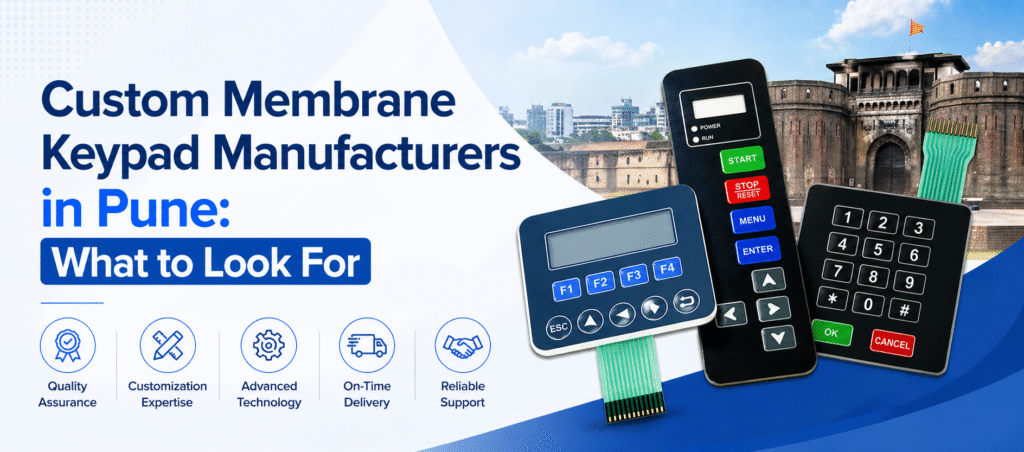
In today’s technology-driven world, custom membrane keypads play a vital role in industries ranging from medical devices to industrial automation. Choosing the right manufacturer is critical—not just for product quality, but for durability, performance, and long-term reliability. If you’re searching for trusted custom membrane keypad manufacturers in Pune, this guide will help you understand exactly what to look for before making a decision. What Are Custom Membrane Keypads? Custom membrane keypads are thin, flexible interfaces used to control electronic devices. They consist of multiple layers, including: Graphic overlay Circuit layer Spacer layer Adhesive backing These keypads are widely used because they are: ✔ Cost-effective ✔ Durable ✔ Easy to customize ✔ Resistant to dust and moisture Why Choosing the Right Manufacturer Matters A high-quality membrane keypad ensures: Smooth user experience Long lifespan Minimal maintenance Reliable performance in harsh environments Partnering with an experienced manufacturer like Cutek Circuits India Pvt Ltd can make a significant difference in product performance and brand reputation. Key Factors to Consider When Choosing a Manufacturer 1. Industry Experience & Expertise Look for manufacturers with proven experience in designing and producing membrane keypads for various industries. Experienced companies understand complex requirements and deliver precision-engineered solutions. 2. Quality Standards & Certifications Ensure the manufacturer follows strict quality control processes and complies with industry standards. High-quality materials and testing procedures are essential for long-lasting performance. 3. Customization Capabilities Every application is unique. A reliable manufacturer should offer: Custom sizes and shapes Backlighting (LED/EL) Embossed keys Graphic overlay design Customization ensures your keypad perfectly matches your product design and functionality. 4. Advanced Manufacturing Technology Modern manufacturing techniques improve efficiency and precision. Choose a company that uses: Automated production systems Advanced printing technologies High-quality circuit integration 5. Durability & Environmental Resistance Membrane keypads should withstand: Moisture and dust Temperature variations Frequent usage This is especially important for industrial and medical applications. 6. Turnaround Time & Production Capacity Timely delivery is crucial for business operations. A dependable manufacturer should: Meet deadlines consistently Handle bulk orders efficiently Offer scalable production 7. Technical Support & After-Sales Service Good communication and support are essential. Choose a manufacturer that provides: Design consultation Prototype development Post-delivery support Why Choose Cutek Circuits India Pvt Ltd? When it comes to reliable custom membrane keypad manufacturers in Pune, Cutek Circuits India Pvt Ltd stands out for its commitment to quality and innovation. ✔ Key Advantages: Years of industry experience High-quality materials and precision manufacturing Custom design solutions for diverse industries Strict quality testing and assurance Timely delivery and strong customer support Cutek Circuits specializes in delivering tailored solutions that meet the exact needs of clients across sectors. Applications of Custom Membrane Keypads Custom membrane keypads are widely used in: Medical equipment Industrial control panels Consumer electronics Automotive systems Home appliances Their versatility makes them an essential component in modern electronic design. Final Thoughts Choosing the right custom membrane keypad manufacturer in Pune is a critical decision that impacts your product’s performance and reliability. By focusing on quality, customization, and expertise, you can ensure long-term success. Partnering with a trusted company like Cutek Circuits India Pvt Ltd ensures you receive high-performance, durable, and fully customized membrane keypad solutions. ❓ FAQs 1. What industries use membrane keypads? Membrane keypads are used in medical, industrial, automotive, and consumer electronics industries. 2. Are membrane keypads durable? Yes, they are designed to withstand dust, moisture, and frequent usage. 3. Can membrane keypads be customized? Absolutely! They can be customized in design, size, functionality, and features. 4. How do I choose the best manufacturer? Focus on experience, quality standards, customization options, and customer support.
How Do Stainless Steel Keyboards Compare to Other Materials?

Modern industries demand keyboards that can survive heavy usage, extreme temperatures, and challenging environments. Traditional plastic or silicone keyboards often fail in such conditions. This is why Cutek, a trusted name in industrial solutions, highlights the growing demand for stainless steel keyboards. Strong, durable, and long-lasting, they offer performance that other materials simply cannot match. 1. What Makes Stainless Steel Keyboards More Durable Than Other Materials? Stainless steel keyboards are designed for high strength and long-term use. Plastic keyboards crack, fade, and break easily, while silicone keys soften over time. Cutek uses high-grade stainless steel that resists corrosion, impact, and wear, ensuring the keyboard remains functional even after years of heavy use. This makes stainless steel the preferred choice for factories, ATMs, kiosks, and public-access machines where reliability is essential. 2. How Do Stainless Steel Keyboards Perform in Harsh or Outdoor Conditions? For environments involving dust, moisture, chemicals, or extreme temperatures, stainless steel keyboards outperform all other materials. Cutek builds these keyboards with IP65–IP68 protection, making them resistant to water, spills, and dirt. Compared to silicone keyboards, which offer flexibility but limited strength, stainless steel models stay sturdy and stable in outdoor kiosks, industrial workshops, marine areas, and high-traffic public zones. 3. Are Stainless Steel Keyboards Easy to Maintain? Yes. Stainless steel keyboards are far easier to maintain than plastic or silicone versions. Plastic keyboards trap dust and germs between keys, while silicone surfaces degrade with repeated cleaning. Cutek’s stainless steel keyboards feature non-porous surfaces that can be wiped clean quickly and withstand strong disinfectants. This makes them ideal for hospitals, labs, cleanrooms, and food production setups where hygiene matters. 4. Are Stainless Steel Keyboards Comfortable for Daily Use? Modern stainless steel keyboards have improved significantly in terms of comfort. Cutek ensures ergonomic key design, stable key travel, and responsive tactile feedback. Although slightly firmer than plastic keyboards, stainless steel models offer excellent precision and long-lasting comfort. For industrial and commercial usage, they deliver the right balance between usability and durability. 5. Are Stainless Steel Keyboards Worth the Investment? Absolutely. While stainless steel keyboards may cost more initially, their long lifespan and low maintenance make them more cost-effective over time. Plastic and silicone keyboards wear out or break frequently, increasing replacement costs. Cutek’s stainless steel keyboards operate reliably for years, offering businesses reduced downtime and better value for money. FAQs 1. Do stainless steel keyboards rust? No. Cutek uses high-quality stainless steel that is corrosion-resistant. 2. Are they waterproof? Yes. Many models include IP65–IP68 waterproof ratings. 3. Are they suitable for medical use? Definitely. They are easy to sanitize and resist chemical cleaners. 4. Can they be used outdoors? Yes. Their weatherproof and vandal-resistant design is ideal for outdoor kiosks and ATMs. 5. Are stainless steel keyboards heavy? They are slightly heavier than plastic models, but this adds strength and stability. Contact Cutek Circuits Address: 4/4 Badhe Industrial Estate, Next To Silver Star Hall, OPP. To Angaraj Hotel, Kondhwa, Pune, Maharashtra 411048, INDIA Phone: +91 92255 24304 | +91 98237 84304 | +91 87930 34304 Email: info@cutekcircuits.com | sales@cutekcircuits.com Website: https://cutekcircuits.com
How To Develop Embedded Products: Best Practices And Strategies
Embedded product development powers everyday technology—from smart home devices to industrial machines. These systems combine hardware, firmware, and software to perform specific tasks reliably. To build a successful embedded product, you need a structured process, careful planning, and smart engineering decisions. Below is a simplified Q&A guide explaining the key stages, best practices, and strategies involved. What Are the Key Stages of Embedded Product Development? 1. Requirement Analysis Define what the product must do, expected performance, power limits, environmental conditions, user needs, and regulatory requirements. Clear requirements reduce redesign and speed up development. 2. System Architecture Design Decide how hardware and software will work together. Select microcontrollers, sensors, power modules, communication interfaces, memory, and choose between bare-metal or RTOS. A strong architecture ensures future scalability and stability. 3. Hardware Development Design schematics, create PCB layouts, select components, and build prototypes. Validate voltage levels, signal integrity, EMI/EMC performance, and durability. Good hardware design ensures long-term reliability. 4. Firmware & Software Development Develop drivers, handle real-time tasks, manage memory, and implement communication protocols. Firmware controls sensors, actuators, and connectivity. Modular and optimized code improves performance and simplifies updates. 5. Integration & Testing Verify functionality, stress limits, power use, security, and real-time behavior. Testing ensures the final product works reliably across environments. 6. Manufacturing & Deployment Use DFM practices, perform quality checks, and prepare documentation, user manuals, packaging, and after-sales support. Consistent manufacturing ensures a stable product launch. What Best Practices Ensure Successful Embedded Product Development? Choose the right microcontroller based on performance, power, cost, and peripheral needs. Prioritize low-power design for battery-based devices. Use modular firmware for easier debugging and upgrades. Implement security from day one—secure boot, encryption, OTA updates. Prototype early to quickly validate ideas and reduce risks. Maintain detailed documentation for smooth future development. What Strategies Improve Performance and Reliability? Optimize real-time response using efficient ISRs and proper scheduling. Use hardware-software co-design to reduce integration issues. Design for testability with logs, debug ports, and diagnostics. Plan for scalability with upgradable firmware and flexible architecture. Conduct environmental tests for heat, vibration, and electrical noise. FAQs 1. How long does development take?Simple products: 3–6 months; complex IoT/industrial systems: 12–18 months. 2. Common tools?Keil, IAR, STM32CubeIDE, Altium, KiCad, JTAG debuggers. 3. Is RTOS required?Only for complex, multitasking systems. 4. Why is security important?It protects data, prevents hacking, and ensures device integrity. Contact Cutek Circuits Address: 4/4 Badhe Industrial Estate, Next To Silver Star Hall, OPP. To Angaraj Hotel, Kondhwa, Pune, Maharashtra 411048, INDIA Phone: +91 92255 24304 | +91 98237 84304 | +91 87930 34304 Email: info@cutekcircuits.com | sales@cutekcircuits.com Website: https://cutekcircuits.com
Where Can You Learn More About Advanced Printed Circuit Technology?
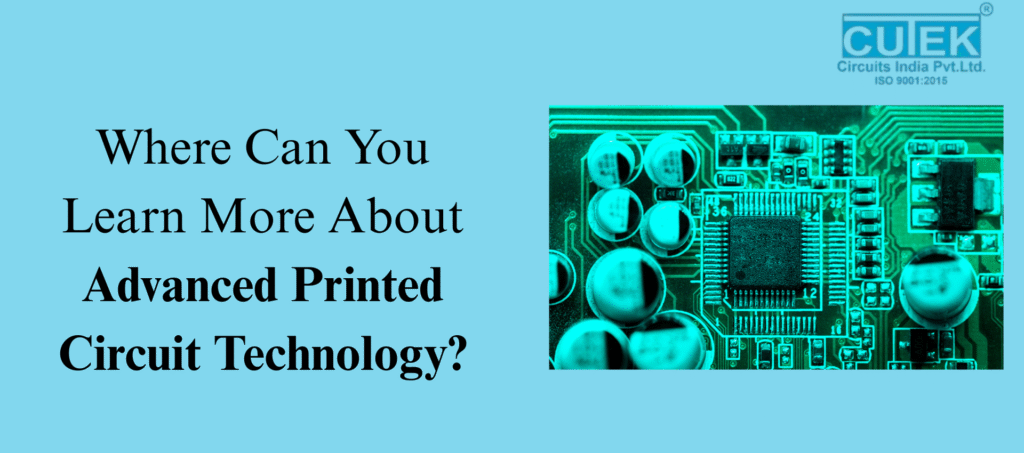
Advanced Printed Circuit Technology is the backbone of today’s high-performance electronic systems. From smartphones and medical devices to automotive electronics and aerospace systems, modern innovations depend on efficient, miniaturized, and high-density PCB designs.Companies like Cutek, known for precision PCB manufacturing and reliable engineering processes, play a major role in supporting this advancement. If you want to build a strong foundation in this domain, you need the right learning sources—online, offline, industry-based, and hands-on. What Is Advanced Printed Circuit Technology? Advanced Printed Circuit Technology includes highly specialized PCB processes used by leading manufacturers like Cutek.It covers: HDI (High-Density Interconnect) PCBs Flexible & Rigid-Flex PCBs Microvia & Blind/Buried VIA Technology Impedance-Controlled Designs High-Frequency RF & Microwave PCBs Advanced Materials (Rogers, Taconic, PTFE, Polyimide) Companies such as Cutek use these technologies to create compact, durable, and high-performance circuit boards for complex electronic applications. Why Should You Learn Advanced Printed Circuit Technology? Career Advancement Industries like telecom, EVs, aerospace, defence, and consumer electronics depend on companies like Cutek that manufacture advanced PCBs. Learning this technology increases your chances of working with leading organizations. Better Design Quality When you understand how manufacturers like Cutek build HDI and high-speed PCBs, you naturally design better products with fewer errors. Competitive Edge The electronics industry is rapidly shifting toward miniaturization, flexible designs, and high-speed applications. Skills in advanced PCB technology—used by companies like Cutek—give you an edge in the job market. Where Can You Learn Advanced Printed Circuit Technology Online? Online Courses Coursera & Udemy IPC Online Training Altium Academy Manufacturer Webinars(Many PCB manufacturers, including Cutek, share guides, resources, and documentation useful for advanced learning.) Free Learning Resources YouTube channels (Altium, EEVblog, HashDefine) PCB design blogs, engineering tutorials High-speed design articles Manufacturer design guides(Cutek’s documentation can help you understand real fabrication capabilities and advanced stack-up structures.) What Offline Sources Can Help You Learn? Engineering Colleges & Institutes Electronics engineering courses cover fundamentals that prepare you for advanced PCB design. IPC Certification Programs Globally recognized and aligned with industry standards followed by manufacturers like Cutek. Workshops & Industrial Training Visiting PCB manufacturers such as Cutek helps you understand fabrication, testing, assembly, and DFM processes in real-world environments. Electronics Expos Events like Electronica, PCB West, and productronica give exposure to advanced technologies used by companies across the world, including players like Cutek. Which Tools Should You Learn for Advanced Printed Circuit Technology? Design Software Altium Designer Cadence Allegro Mentor Graphics KiCad Eagle OrCAD Simulation Tools Signal Integrity (SI) Power Integrity (PI) Thermal Analysis EMI/EMC Simulation Learning these tools helps you design PCBs compatible with advanced manufacturing processes used by companies like Cutek. How Do Professionals Stay Updated? Industry Publications IEEE Journals PCB Design Magazine SMT Today Manufacturer Updates Companies like Cutek, Rogers, Isola, and AT&S regularly share updates on materials, stack-ups, manufacturing limitations, and industry trends. Online Communities Reddit r/PCB StackExchange Electronics Altium CommunityThese platforms help learners stay updated with techniques used by professional PCB companies like Cutek. Frequently Asked Questions (FAQ) 1 . Is Advanced PCB Technology Hard to Learn? Not difficult—consistent practice and exposure to real manufacturing examples (for example, Cutek’s PCB capabilities) make learning smooth. 2 .How Long Does It Take to Learn Advanced PCB Design? Typically 3–6 months, depending on your practice, tools, and understanding of real fabrication rules used by companies like Cutek. 3. Do I Need Expensive Tools to Learn PCB Design? No. Start with KiCad. As you progress, you can move to professional tools used by PCB manufacturers like Cutek. 4. Are Certifications Important? Yes. Certifications like IPC improve credibility and align with the quality standards followed by advanced PCB companies. Contact Cutek Circuits Address: 4/4 Badhe Industrial Estate, Next To Silver Star Hall, OPP. To Angaraj Hotel, Kondhwa, Pune, Maharashtra 411048, INDIA Phone: +91 92255 24304 | +91 98237 84304 | +91 87930 34304 Email: info@cutekcircuits.com | sales@cutekcircuits.com Website: https://cutekcircuits.com
How to Optimize the Flexible PCB Manufacturing Process
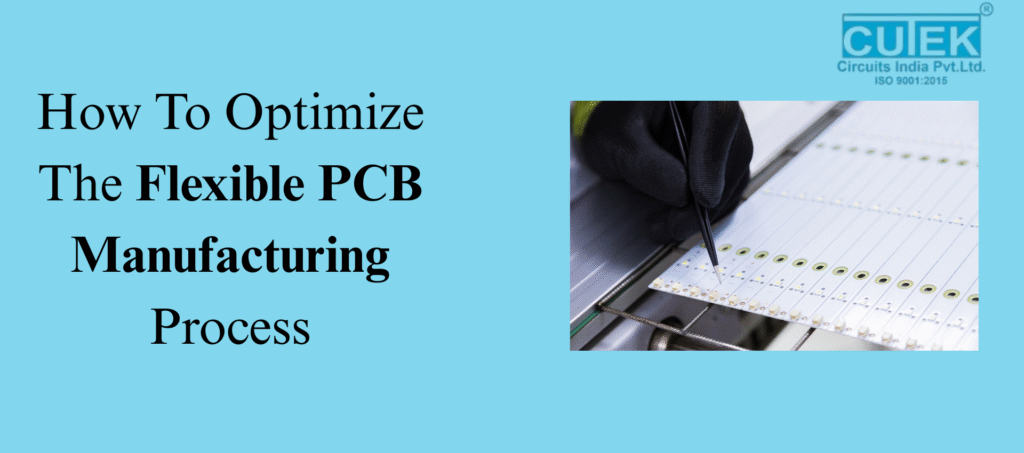
Flexible PCB manufacturing plays a vital role in today’s compact, lightweight, and high-performance electronic devices. Industries like wearables, automotive, aerospace, and medical electronics depend on flexible circuits for improved design freedom and durability.Optimizing the Flexible PCB manufacturing process not only ensures higher quality but also reduces waste, minimizes errors, and boosts long-term reliability.Below, we explore the most important questions that help manufacturers streamline and improve the entire process. What Factors Influence Material Selection in Flexible PCB Manufacturing? Material selection is the foundation of an optimized Flexible PCB manufacturing process. Choosing the right polyimide films, copper foils, and adhesives greatly influences circuit flexibility, heat resistance, and overall durability.High-grade materials ensure the PCB can bend repeatedly without cracking or losing conductivity. Low-quality materials may reduce cost initially but often lead to failures during thermal or mechanical stress. How Does Good Circuit Design Improve Manufacturing Efficiency? An optimized circuit design reduces stress on bend areas and prevents long-term damage. Techniques like rounded trace corners, even trace width, proper spacing, and avoiding vias in flex zones significantly improve performance.A well-designed layout also lowers the risk of delamination, increases signal integrity, and ensures smoother fabrication with fewer design reworks. Why Is Precision Etching Critical for Flexible PCB Quality? Etching defines the conductive pathways on a flex PCB. Inaccurate etching—whether too much or too little—weakens the copper traces and creates potential short circuits.Using controlled chemical etching and high-resolution imaging ensures sharp, accurate, and uniform trace formation. This leads to higher reliability and reduces the chances of defects during final product testing. How Do Drilling and Plating Impact Flex PCB Performance? Drilling and plating determine how well electrical connections are formed between layers. Laser drilling offers higher accuracy for micro-vias used in modern electronic devices.Clean, smooth hole walls allow efficient plating, ensuring even copper thickness and strong electrical paths. Proper plating also enhances mechanical resilience during bending and flexing. What Role Does Coverlay Application Play in PCB Durability? Coverlays serve as protective layers that shield circuits from moisture, heat, and mechanical abrasion. Incorrect lamination can cause wrinkles, air gaps, or misalignment, which leads to circuit failure.Optimized coverlay lamination ensures a smooth, bubble-free finish, improving the PCB’s ability to withstand continuous flexing without damage. How Does Automation Enhance Flexible PCB Manufacturing? Automation minimizes human error and ensures consistent results at every production stage. Automated tools for imaging, alignment, inspection, and lamination offer higher precision and reduce cycle times.Automated systems also help in tracking defects early, keeping overall quality stable, and cutting down production costs. Which Quality Control Methods Ensure High Manufacturing Standards? Quality control is essential for identifying defects before the PCB moves to final assembly. Effective methods include: Automated Optical Inspection (AOI) – Detects trace defects and misalignment Electrical Testing – Ensures proper signal flow Thermal Stress Testing – Checks heat resistance Mechanical Flex Testing – Ensures durability during repeated bending These steps guarantee that every flexible PCB meets industry performance standards. What Strategies Help Reduce Costs Without Compromising Quality? Cost optimization focuses on intelligent production planning, not cutting essential quality steps.Key strategies include: Using efficient panel layouts Reducing unnecessary layers Standardizing trace widths and spacing Selecting cost-effective yet high-quality materials These methods help manufacturers achieve better output at lower production costs. Optimizing the Flexible PCB manufacturing process requires attention to design, materials, precision, automation, and thorough quality control. By following these best practices, manufacturers can create flexible PCBs that are reliable, long-lasting, and cost-effective—meeting the demands of today’s advanced electronics industry. FAQs 1. What is Flexible PCB manufacturing? It’s the process of making bendable circuit boards used in compact and flexible electronic devices. 2. Why is optimizing the process important? It improves quality, reduces defects, increases efficiency, and lowers production costs. 3. What materials are best for Flexible PCBs? Polyimide films, flexible copper foils, and strong adhesives offer the best flexibility and durability. 4. How does good PCB design help? Proper trace routing and avoiding stress points improve performance and extend PCB life. Contact Cutek Circuits Address: 4/4 Badhe Industrial Estate, Next To Silver Star Hall, OPP. To Angaraj Hotel, Kondhwa, Pune, Maharashtra 411048, INDIA Phone: +91 92255 24304 | +91 98237 84304 | +91 87930 34304 Email: info@cutekcircuits.com | sales@cutekcircuits.com Website: https://cutekcircuits.com
Where To Find The Best PCB Design Tools?
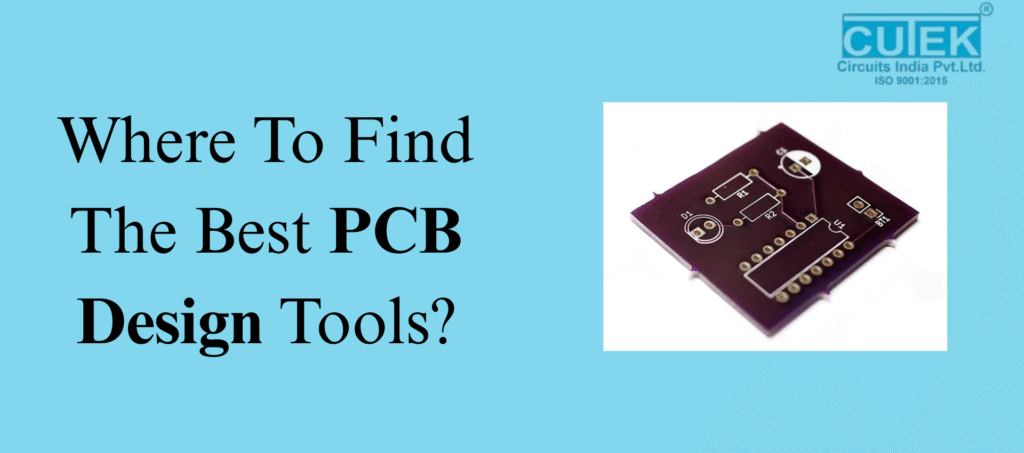
Choosing the right software is one of the most important steps in PCB designing. With so many tools available, beginners and professionals often struggle to decide which PCB design tools are truly the best. To make it easier, this blog answers the most common questions about where to find the best PCB design tools, what features to look for, and how to choose the right one. What Makes Good PCB Designing Tools Important? Good PCB design tools help you: Build accurate and reliable layouts Reduce design errors Improve workflow efficiency Visualize circuits in 2D and 3D Speed up prototyping The better the tool, the smoother your PCB designing process becomes. What Features Should You Look for in PCB Design Tools? 1. Why is a User-Friendly Interface Important? A simple interface helps you design faster and reduces confusion, especially for beginners. 2. Why Do You Need 3D Visualization & Simulation? Simulation helps test performance before manufacturing and prevents costly mistakes. 3. How Do Component Libraries Help? Large, updated libraries save time and ensure accurate component placement. 4. What is the Role of Design Rule Checks (DRC)? DRC ensures your layout follows industry standards and avoids design errors. 5. Why Do Teams Need Collaboration Features? Collaboration tools help multiple designers work on the same PCB efficiently. Where Can You Find the Best PCB Design Tools? 1. Can You Find PCB Tools on Official Software Websites? Yes! Most popular tools provide free trials or community versions. Examples include: Altium Designer Autodesk Eagle KiCad Proteus OrCAD EasyEDA 2. Are Electronics Forums Helpful? Absolutely. Experts share real experiences, reviews, and tool suggestions.Useful platforms: EEVblog Forum All About Circuits Reddit (r/PrintedCircuitBoard) 3. Do Online Tool Directories Recommend PCB Tools? Yes. Websites like AlternativeTo and G2 offer tool comparisons, features, and user reviews. 4. Do PCB Manufacturers Suggest Tools? Many manufacturers recommend compatible PCB design tools to avoid design-to-fabrication issues. 5. Can Learning Platforms Help You Choose Tools? Yes. Courses often highlight which tools are best for beginners or advanced PCB designing. Which PCB Design Tools Are Best to Use? 1. Is Altium Designer Good for Professionals? Yes. It’s one of the most advanced and widely used tools with powerful capabilities. 2. Is Autodesk Eagle Beginner-Friendly? Yes. It’s simple, easy to learn, and perfect for hobbyists and small projects. 3. Is KiCad the Best Free Option? Definitely. KiCad is open-source, powerful, and ideal for students and startups. 4. Why Should You Choose Proteus? Proteus offers excellent simulation, especially for microcontroller-based designs. 5. Is EasyEDA Good for Online Designing? Yes. EasyEDA is cloud-based with a huge component library and quick learning curve. How Can You Choose the Right PCB Designing Tool? 1. Should You Choose Tools Based on Skill Level? Yes. Beginners: EasyEDA, Eagle Professionals: Altium, OrCAD 2. Should Your Project Type Influence Tool Choice? Yes. Complex, multi-layer designs need software with strong simulation features. 3. Does Budget Matter When Selecting PCB Tools? Yes. Free tools: KiCad, EasyEDA Paid premium tools: Altium, OrCAD 4. Should You Check for Community Support? Yes. Tools with active communities offer tutorials, guides, and troubleshooting help. Finding the best PCB design tools becomes simple when you know what features to look for and where to find trusted software. Whether you’re a beginner or an experienced designer, choosing the right tool will improve your workflow and help you create better, more reliable PCBs. Contact Cutek Circuits Address: 4/4 Badhe Industrial Estate, Next To Silver Star Hall, OPP. To Angaraj Hotel, Kondhwa, Pune, Maharashtra 411048, INDIA Phone: +91 92255 24304 | +91 98237 84304 | +91 87930 34304 Email: info@cutekcircuits.com | sales@cutekcircuits.com Website: https://cutekcircuits.com
The Ultimate Guide to Efficient Industrial Label Printing
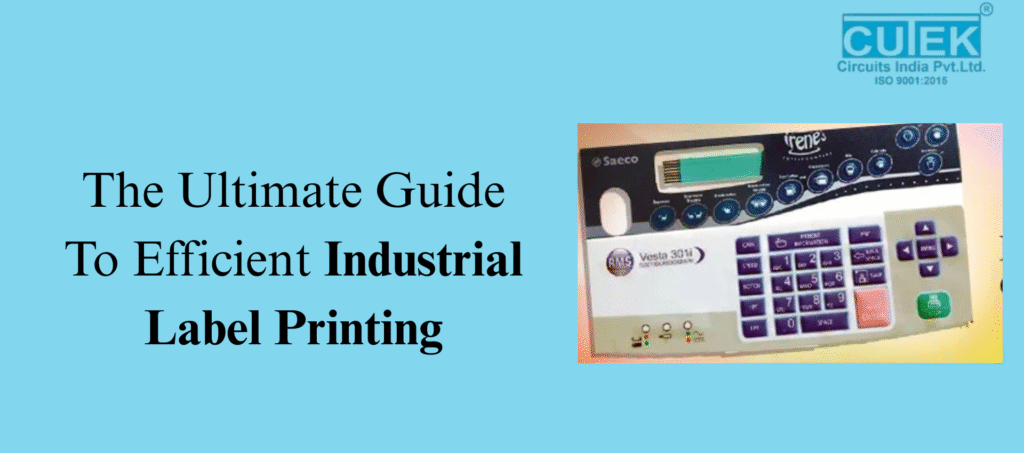
Industrial labels play a vital role in identifying products, improving safety, and maintaining smooth operations. From manufacturing to logistics, every industry relies on clear and durable labels. With professional industrial label printing services, businesses can ensure high-quality labels that stand up to heat, chemicals, moisture, and daily wear.This guide answers essential questions to help you choose the best labeling solutions. What Are Industrial Labels and Why Are They Important? Industrial labels are designed to handle tough working conditions. They help companies organize inventory, track products, warn employees of hazards, and meet compliance standards. Why These Labels Matter They prevent errors and misidentification. They improve workflow in warehouses and factories. They support safety by displaying warnings clearly. They help companies follow ISO, GHS, OSHA, and other regulations. What Do Industrial Label Printing Services Include? Professional printing services provide complete labeling solutions from design to delivery. Main Features of These Services Durable materials like vinyl, polyester, and polypropylene High-resolution printing for barcodes and QR codes Weatherproof and chemical-resistant options Custom shapes, sizes, and adhesives Compliance-friendly label design and formatting These services ensure every label is consistent, strong, and easy to read. What Types of Industrial Labels Are Commonly Used? Popular and Practical Label Types Barcode & QR Labels: For tracking and inventory control Safety Labels: To highlight risks and hazards Asset Labels: For equipment identification High-Temperature Labels: Used in automotive and electronics Chemical-Resistant Labels: Used in labs and chemical industries RFID Labels: For smart, automated tracking Each label type is designed to perform well in specific industrial environments. Which Printing Technologies Are Used for Industrial Labels? Common Printing Methods Thermal Transfer: Long-lasting and scratch-resistant Direct Thermal: Best for short-term, fast printing needs Laser Printing: Clean text and sharp graphics Digital Printing: Perfect for colorful, custom designs Choosing the right technology helps ensure labels stay clear and durable. How to Choose the Right Industrial Label Printing Service Provider? What to Look For Experience in industrial labeling Ability to create durable, weatherproof labels Support for customization Understanding of safety and compliance Fast delivery and bulk printing capacity Modern, high-tech printing equipment A reliable provider ensures your labels stay strong and readable for a long time. How Do Industrial Labels Improve Operational Efficiency? Key Benefits Fewer identification mistakes Faster tracking of products and equipment Better safety communication Reduced downtime in operations Support for automation with barcodes and RFID Good labeling makes daily operations smoother and more accurate. What Are the Latest Trends in Industrial Label Printing? New and Emerging Innovations RFID smart labels for automated data tracking Eco-friendly label materials for sustainability High-definition digital printing for premium clarity IoT and AI-driven automation for faster production These innovations make labeling smarter, cleaner, and more efficient. Efficient industrial label printing is essential for maintaining accuracy, safety, and productivity across all manufacturing and logistics processes. By choosing the right materials, printing technology, and trusted industrial label printing services, businesses can ensure their labels remain durable and readable—even in the toughest environments.As industries continue to grow and adopt automation, high-quality labeling will play an even bigger role in smooth operations and regulatory compliance. Investing in reliable labeling solutions today ensures better organization, improved workflow efficiency, and long-term operational success. Contact Cutek Circuits Address: 4/4 Badhe Industrial Estate, Next To Silver Star Hall, OPP. To Angaraj Hotel, Kondhwa, Pune, Maharashtra 411048, INDIA Phone: +91 92255 24304 | +91 98237 84304 | +91 87930 34304 Email: info@cutekcircuits.com | sales@cutekcircuits.com Website: https://cutekcircuits.com
How to Create Stunning Designs with Dial Printing
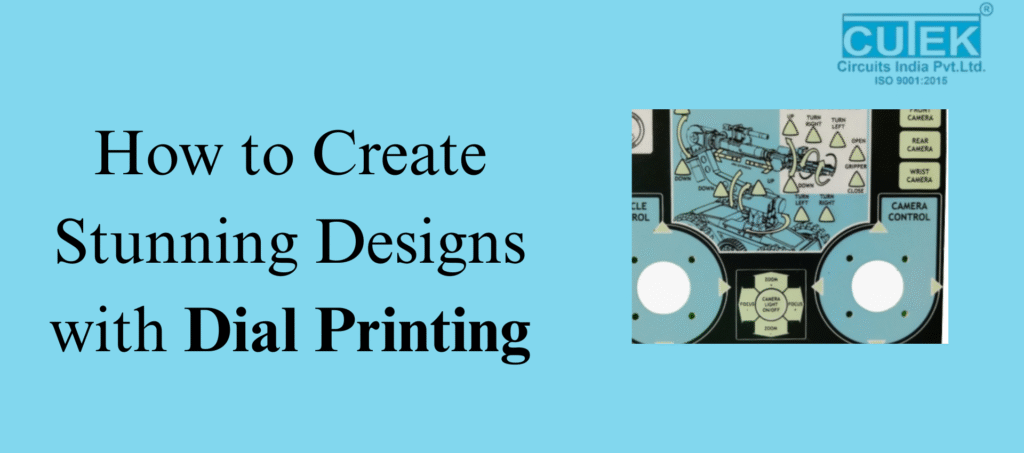
Dial printing is a precise and durable printing method used to create clean, sharp, and long-lasting designs on dials, panels, and industrial interfaces. Whether used in automotive dashboards, home appliances, or machinery, dial printing ensures accuracy and a professional finish. What Exactly Is Dial Printing and How Does It Enhance Design Quality? What Is Dial Printing? Dial printing is a specialized technique used to print numbers, scales, symbols, and graphics on dials. It offers exceptional clarity, alignment, and durability, making it ideal for industries that demand precision. How It Enhances Design Quality High Precision: Ensures markings and text stay perfectly aligned. Long-Lasting: Uses UV-resistant and scratch-resistant inks. Accurate Colors: Supports CMYK and Pantone standards for consistent shades. Multiple Materials: Works on polycarbonate, acrylic, PVC, ABS, and metal. Premium Finish: Results in clean, sharp, and professional designs. Dial printing combines beauty with durability—making it perfect for both aesthetics and usability. What Is the Best Process to Follow for Creating Stunning Dial Printing Designs? 1. Understand the Application Before designing, identify where the dial will be used. Is it for a car, machine, electronic device, appliance, or medical equipment?This helps in choosing the right material, ink, and printing method. 2. Choose the Right Material Different materials give different results: Polycarbonate: Best for backlit or illuminated dials Acrylic: Clear, glossy, and premium looking Metal: Strong and suitable for heavy-duty use PVC / ABS: Cost-effective and versatile The material directly affects print sharpness and durability. 3. Design with Precision Dial designs must be clear, readable, and error-free.Follow these rules: Use vector files (AI, CDR) for crisp edges Keep proper alignment and spacing Use simple, readable fonts Maintain strong color contrast Avoid cluttered designs Add proper bleed and safe zones Precision is key because even small mistakes become noticeable on a dial. 4. Pick the Right Printing Technique Screen Printing Ideal for solid colors Very durable Best for bulk production Digital Printing Great for detailed and colorful designs Supports gradients and complex patterns UV Printing Sharp details Instant curing Premium look Pad Printing Works well on curved or textured surfaces Choose a technique based on design complexity, material, and budget. 5. Select the Right Ink and Finish Use industrial inks like UV-curable or solvent-based inks Choose the finish based on the look you want: matte, glossy, or textured For backlit dials, use translucent inks for smooth lighting Good ink and finishing elevate both look and durability. 6. Test, Review, and Prototype Always test before final production.Check for: Color accuracy Alignment Sharpness Backlight performance (if used) A prototype helps catch issues early and ensures a perfect final result. What Are the Common Challenges in Dial Printing and How Can You Avoid Them? 1. Misalignment Even a small shift can make the dial look incorrect.Solution: Use accurate die-line files and alignment guides. 2. Color Inconsistency Printed colors may look different from digital designs.Solution: Use Pantone or calibrated CMYK profiles and test prints. 3. Low-Resolution Artwork Low-quality images look pixelated.Solution: Always design in vectors. 4. Poor Ink Adhesion Ink may peel if the material isn’t prepared.Solution: Clean and pre-treat surfaces properly. 5. Uneven Backlighting Backlit dials may show hotspots.Solution: Use translucent inks and test lighting during prototyping. Where Is Dial Printing Commonly Used? Major Applications Vehicle dashboards and speedometers Industrial and machine control panels Home appliance interfaces Medical equipment displays Electronic device panels Clocks, timers, and measuring instruments Dial printing is trusted across industries for its accuracy and durability. Dial printing is one of the best methods for producing clear, durable, and visually appealing dial designs. With the right materials, printing techniques, and careful design planning, you can create dials that are both functional and beautiful. FAQ’s Q1: Which materials are best for dial printing? Polycarbonate, acrylic, metal, PVC, and ABS offer excellent durability and print quality. Q2: Is dial printing good for backlit designs? Yes. Using translucent inks ensures smooth and even lighting for backlit dials. Q3: How long does dial printing last? With high-quality inks, dial printing can last for many years without fading or peeling. Q4: Can dial printing handle complex designs? Yes. Techniques like digital and UV printing support gradients, textures, and multicolor artwork. Q5: What file format should be used? Vector formats such as AI, CDR, EPS, or PDF are ideal for sharp and accurate printing. Contact Cutek Circuits 📍 Address: 4/4 Badhe Industrial Estate, Next To Silver Star Hall, OPP. To Angaraj Hotel, Kondhwa, Pune, Maharashtra 411048, INDIA 📞 Phone: +91 92255 24304 | +91 98237 84304 | +91 87930 34304 📧 Email: info@cutekcircuits.com | sales@cutekcircuits.com 🌐 Website: https://cutekcircuits.com
How To Maintain And Clean Your Backlit Membrane Keyboard
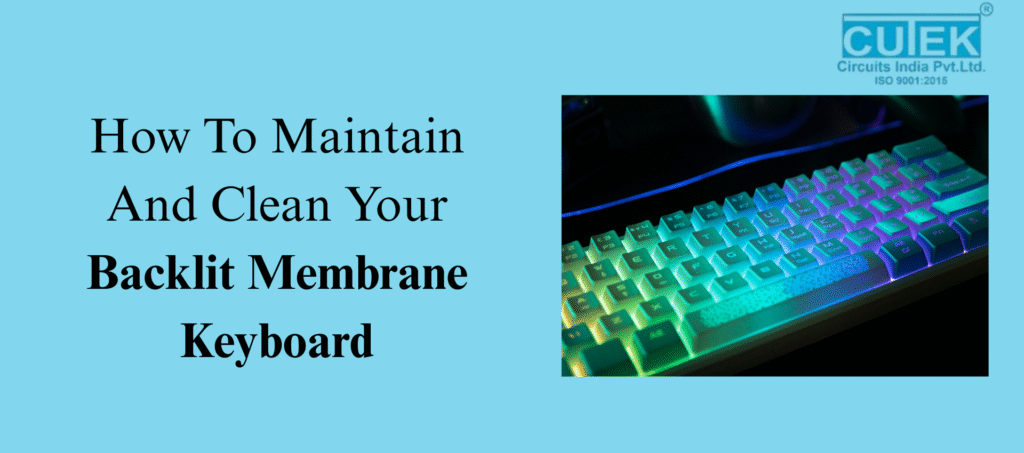
Backlit membrane keyboards are widely loved for their soft typing feel, attractive lighting, and affordable design. However, whether you use one for gaming, office work, or everyday tasks, it naturally collects dust, oils, fingerprints, and debris over time. As a result, this buildup not only makes your keyboard look dirty but also reduces key responsiveness and affects backlight brightness.To help you keep your keyboard in top condition, here are the most essential questions and answers on how to clean and maintain Backlit Membrane Keyboards effectively. What Is a Backlit Membrane Keyboard and Why Does It Need Cleaning? Backlit membrane keyboards use a soft pressure-sensitive membrane layer combined with LED lighting underneath the keys. However, dirt, oils, and dust can interfere with this membrane, making the keys feel sticky or less responsive. Additionally, when dust settles over the gaps, it blocks the LED light, making the backlight appear dim.Therefore, regular cleaning helps maintain smooth keypresses, bright lighting, and overall durability. What Makes Backlit Membrane Keyboards Dirty? Daily usage exposes your keyboard to: Dust and airborne particles Sweat and natural oils from your fingers Food crumbs and snack residue Accidental spills or moisture Over time, these contaminants build up and reduce typing accuracy, eventually creating sticky keys and dimming the backlight. What Tools Do You Need to Clean It Safely? Recommended Tools Microfiber cloth Soft brush or small paintbrush Cotton swabs 70% isopropyl alcohol Compressed air (optional) Tools to Avoid Harsh chemicals Too much water Sharp objects or metal tools Strong cleaners that can fade key lettering By choosing the right tools and avoiding the harmful ones, you ensure safe and effective cleaning without damaging the membrane or LEDs. How Do You Clean a Backlit Membrane Keyboard for Daily or Weekly Maintenance? Step-by-Step Routine Unplug the keyboard to prevent accidental input. Wipe the surface using a dry microfiber cloth. Brush between the keys with a soft brush to remove hidden dust. Dampen the cloth slightly with isopropyl alcohol and gently wipe key surfaces. This simple routine keeps your keyboard fresh and maintains good backlight visibility throughout the week. How Do You Deep-Clean a Backlit Membrane Keyboard Safely? Deep cleaning is important when keys feel sticky or the backlight looks uneven. Deep Cleaning Steps Disconnect the keyboard completely. Remove keycaps gently (only if your model allows it). Use compressed air to blow out deep-seated dirt. Clean edges and under-key areas with alcohol-dipped cotton swabs. Let it dry fully before reattaching keycaps. Overall, deep cleaning restores smooth keypress functionality and improves LED clarity. How Often Should You Clean Your Backlit Membrane Keyboard? Weekly: Light clean (wipe + dust removal) Monthly: Deep clean Immediately: If a spill occurs or keys become sticky Following a regular cleaning routine prevents long-term damage to the membrane and lighting system. What Mistakes Should You Avoid While Cleaning? Here are common cleaning mistakes that can harm Backlit Membrane Keyboards: Using water directly on the keyboard Spraying cleaners or disinfectants directly Removing keycaps if the keyboard doesn’t support it Using harsh chemicals that fade letters Cleaning while the keyboard is plugged in Using sharp or metal tools to scrape dirt By avoiding these mistakes, you can prevent internal damage and ultimately extend your keyboard’s lifespan. How Can You Keep Your Backlit Membrane Keyboard Clean for Longer? Useful Prevention Tips Use a keyboard protector or dust cover Avoid eating near the keyboard Wash or wipe your hands before typing Dust the keyboard regularly Keep pets away to prevent hair buildup Practicing these habits reduces the need for frequent deep cleaning. FAQ Q1. Can I use wet wipes to clean Backlit Membrane Keyboards? Yes, but only alcohol-based wipes that are not overly wet. Avoid scented or chemical-heavy wipes. Q2. Can I remove the keycaps on a membrane keyboard? Only if the manufacturer mentions that keycaps are removable. Many membrane keyboards have fixed keys. Q3. Why is my backlight still dim after cleaning? Possible reasons include LED aging, internal dust, or slight moisture damage inside the keyboard. Q4. Can I clean the keyboard while it is connected? No. Always unplug the keyboard before cleaning to avoid accidental key presses or electrical damage. Contact Cutek Circuits Address: 4/4 Badhe Industrial Estate, Next To Silver Star Hall, OPP. To Angaraj Hotel, Kondhwa, Pune, Maharashtra 411048, INDIA Phone: +91 92255 24304 | +91 98237 84304 | +91 87930 34304 Email: info@cutekcircuits.com | sales@cutekcircuits.com Website: https://cutekcircuits.com
How To Create Durable And Stylish Custom Aluminum Nameplates
A well-designed aluminum nameplate not only strengthens your brand but also withstands tough environments. This blog answers the most important questions you should know before creating durable and stylish custom aluminum nameplates. What Makes Aluminum the Best Material for Durable Nameplates? At Cutek Circuits India Pvt Ltd, we prefer aluminum because it is naturally lightweight, corrosion-resistant, weatherproof, and cost-effective—making it ideal for long-lasting nameplates. It withstands heat, chemicals, moisture, and outdoor exposure better than many other metals. Which Aluminum Types Are Commonly Used for Nameplates? Standard Aluminum Great for general branding, product labels, and indoor applications. Anodized Aluminum Offers enhanced durability, scratch resistance, and long-lasting color options. Brushed Aluminum Popular for premium, stylish, and modern nameplates with a textured finish. What Are the Most Reliable Manufacturing Methods? Etching Creates deep, permanent markings that don’t fade—perfect for harsh environments. Anodizing Adds a protective layer and allows stable colors embedded into the metal. UV Printing Ideal for vibrant, high-resolution logos and detailed graphics. How Can You Make Aluminum Nameplates Stylish Yet Functional? Use Modern Finishes Brushed, matte, glossy, and textured finishes enhance aesthetic appeal. Choose Custom Shapes & Sizes Laser or CNC cutting allows unique shapes that fit your product design. Add Colors Thoughtfully Use anodized or UV-printed colors for a clean, lasting look. Include Branding Elements Logos, icons, and typography create a professional brand identity. How Should You Mount Aluminum Nameplates for Durability? 3M Adhesive Tape Best for smooth surfaces, indoor branding, and lightweight applications. Screws or Rivets Recommended for heavy-duty equipment or outdoor installations. Hole Punching or Slots Useful when alignment and stability are necessary. How Can You Ensure Your Nameplate Survives Harsh Conditions? Choose anodized or etched aluminum. Opt for thicker plates (0.5–1.5 mm). Use UV-stable inks or embedded colors. Select weatherproof mounting options. Frequently Asked Questions (FAQs) 1. How long do aluminum nameplates last? With proper finishing, they can last 10–20 years or more. 2. Are they suitable for outdoor use? Yes. Aluminum is naturally corrosion-resistant and handles extreme weather. 3. What’s best for colorful designs? UV printing delivers bright, fade-resistant colors. 4. Can they be customized in shape? Yes. Laser cutting allows any shape or size Contact Cutek Circuits 📍 Address: 4/4 Badhe Industrial Estate, Next To Silver Star Hall, OPP. To Angaraj Hotel, Kondhwa, Pune, Maharashtra 411048, INDIA 📞 Phone: +91 92255 24304 | +91 98237 84304 | +91 87930 34304 📧 Email: info@cutekcircuits.com | sales@cutekcircuits.com 🌐 Website: https://cutekcircuits.com